
First Look works on both sides of the property search. It gives buyers an earlier look at selected Barfoot & Thompson properties and gives sellers the reach of our network from day one. Here’s the detail.
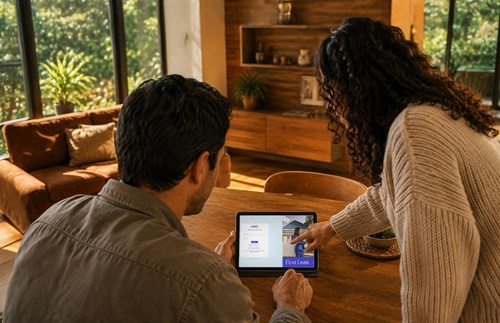
How do I get access to First Look properties?
If you’re new to Barfoot & Thompson, create a free account, complete your buyer profile and set up your saved searches. If you already have an account, sign in, make sure your profile is up to date and create your saved searches. You can then browse First Look properties on barfoot.co.nz and in the app.
Is it free to register for First Look?
Yes. It’s free to register for First Look, create saved searches and receive property alerts.
How are properties matched to me?
First Look compares new listings with the criteria in your saved search, such as location, property type, price range and number of bedrooms. If the criteria suggest a match, you may receive an alert. Keeping your saved search up to date will help make your matches more relevant. A Barfoot & Thompson salesperson may also contact you directly if they know of a property that could suit you.
Do I need to have a saved search?
No, but we recommend creating one. It lets us match First Look properties to your preferences and send relevant alerts to you.
How do I create a saved search?
Once signed in to barfoot.co.nz, enter your preferred location and use the filters to select your property preferences. Select Search, then select the bell icon marked Save this search at the top right of the results page.
How and when will I be alerted to First Look properties?
When a First Look property matches your saved search, it will be included in alerts sent according to your account settings. New-listing alerts are sent daily or weekly, while open-home alerts are sent weekly.
Can I share a First Look property with someone else?
You can share the listing link, but during the registered-buyer stage, the person receiving it may need to register or sign in before they can view the property. Once it becomes publicly visible on Barfoot & Thompson’s channels, no login is required.
Why can’t I view a property I was sent?
The property may be in a First Look stage that requires you to register or sign in, or its status may have changed since the link was sent. It may have moved to another stage, been withdrawn or sold. Try signing in first, then contact the salesperson who sent you the property if you still can’t view it.
Questions? Find out how to use First Look to find your new home.
Is First Look right for my property?
First Look may suit you if you want to introduce your property to high intent buyers, want control
over the launch, timing and visibility or if you would consider a strong early offer. Your salesperson will assess your property, likely buyer pool, market conditions and priorities before recommending this approach.
Is the First Look audience large enough?
First Look isn’t limited to one salesperson’s contacts. It draws on the combined buyer reach of more than 1,800 Barfoot & Thompson salespeople, the buyers they’re already working with and our database of registered buyers whose saved searches suggest a match. Few other agencies in New Zealand have a connected salesperson and buyer network of this scale to put to work for your property from day one.
How are buyers matched to my property?
Matching happens in two ways. First, buyers can create saved searches based on their property preferences. When a First Look property meets those criteria, buyers registered for First Look may receive an alert. Buyers who have a saved search but are not yet registered for First Look may also see a limited version of the matching listing. They will need to register for First Look to access the full property details. Barfoot & Thompson salespeople can also introduce the property directly to buyers they are already working with.
Is every Barfoot & Thompson listing included?
No. First Look is an opt-in programme, chosen by the vendor with advice from their salesperson. It may not suit every vendor or property.
Questions? Find out how to use First Look to sell your property.
Ready for your First Look?

Already have a Barfoot & Thompson account?
